Children engaging with HP Sprout Walk-UP in a museum
HP Inc. · 2016

HP Sprout
Walk-UP

Role Lead UX Designer
Platform Self-Service Kiosk · Public Spaces
Deployed Museums, Libraries, Offices
Year 2015–2016

Designing for Strangers, Every Time

The HP Sprout was built for personal use — a creative workstation with a depth camera overhead and a touch mat below. But what happens when you take that experience public? When there's no onboarding, no manual, and the next user is a museum visitor who has 10 minutes and zero context?

That was the challenge. I led the UX for HP Sprout Walk-UP — a self-service mode that transformed Sprout's powerful hardware into an unattended, zero-training kiosk deployable in museums, libraries, schools, offices, and retail spaces.

The result was a fully modular, administrator-configurable platform that served radically different user types — from an eight-year-old in face paint to an elderly librarian scanning family documents.

0
Minutes of training required for walk-up users
4+
Distinct deployment contexts designed for
2
User roles: visitors & administrators
20m
Max session length with auto-reset
The Problem

Designing for a User
You'll Never Meet

Desktop software assumes familiarity. Public kiosks don't have that luxury. The Sprout Walk-UP needed to be simultaneously effortless for a first-time visitor and deeply configurable for the administrator — a librarian or museum director who needed to brand the experience, set time limits, choose apps, and keep sessions clean between users.

"We need something that can be used by pretty much anybody. We try to give our visitors activities that are suited for a multi-generational audience. The solution has to be fairly intuitive — spontaneous, easily recognizable, something you can just jump in and do."
Jeff Burdona — Director of Education, San Jose Museum of Art

Who Walks Up?

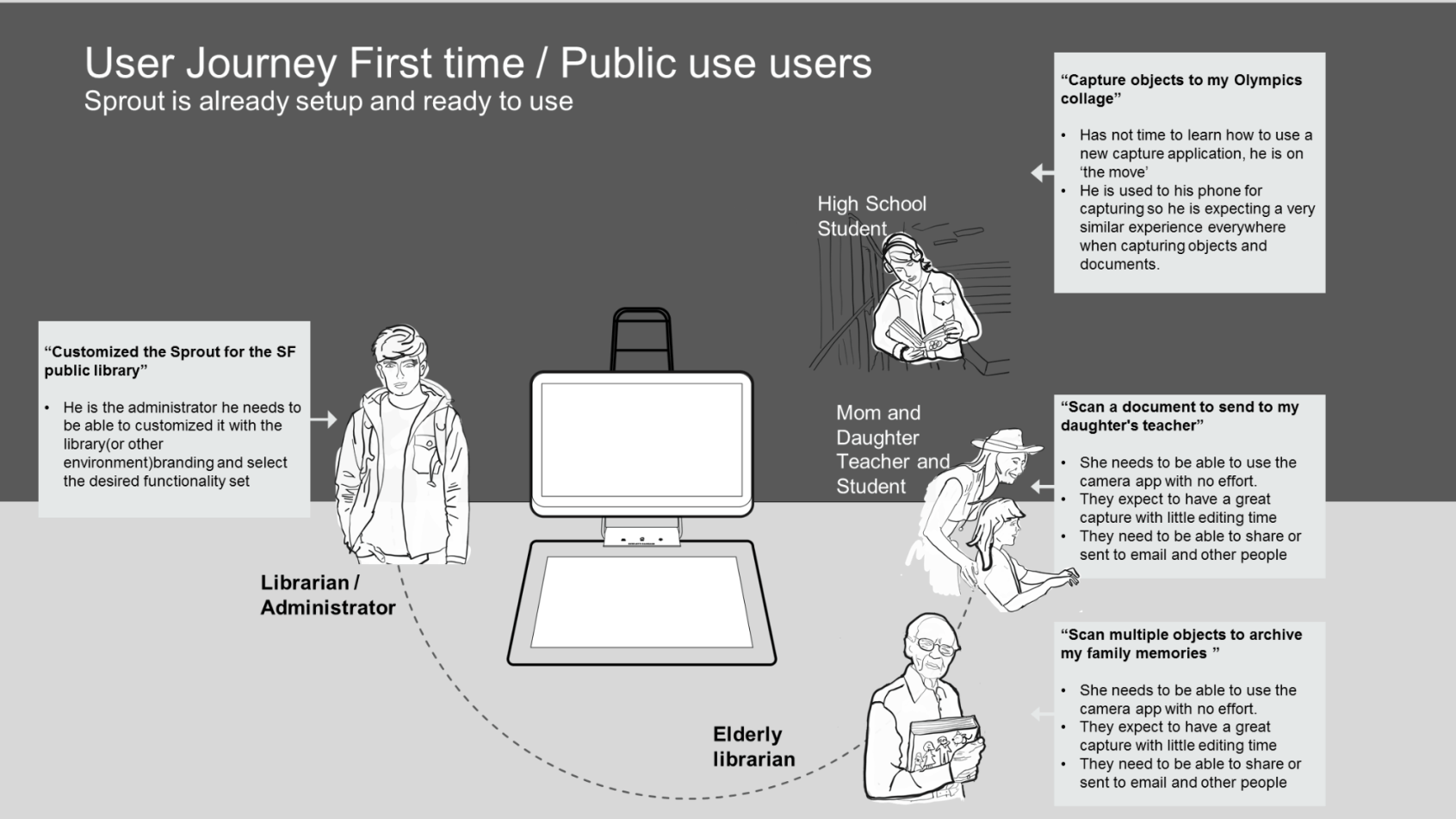
Field research and contextual inquiry across museums, libraries, and offices revealed a dramatically diverse user base with one shared constraint: zero patience for learning a new system.

🎒
High School Student
Capture & Create
"I'm used to my phone for capturing. I expect it to work the same way everywhere."
👩‍👧
Teacher & Student
Scan & Share
"I need to scan a document and email it to my daughter's teacher — quickly and easily."
📚
Elderly Librarian
Archive & Preserve
"I want to scan multiple objects to archive my family memories — I can't afford to make mistakes."
🏛️
Administrator
Configure & Control
"I customized the Sprout for the SF public library — our brand, our apps, our rules."
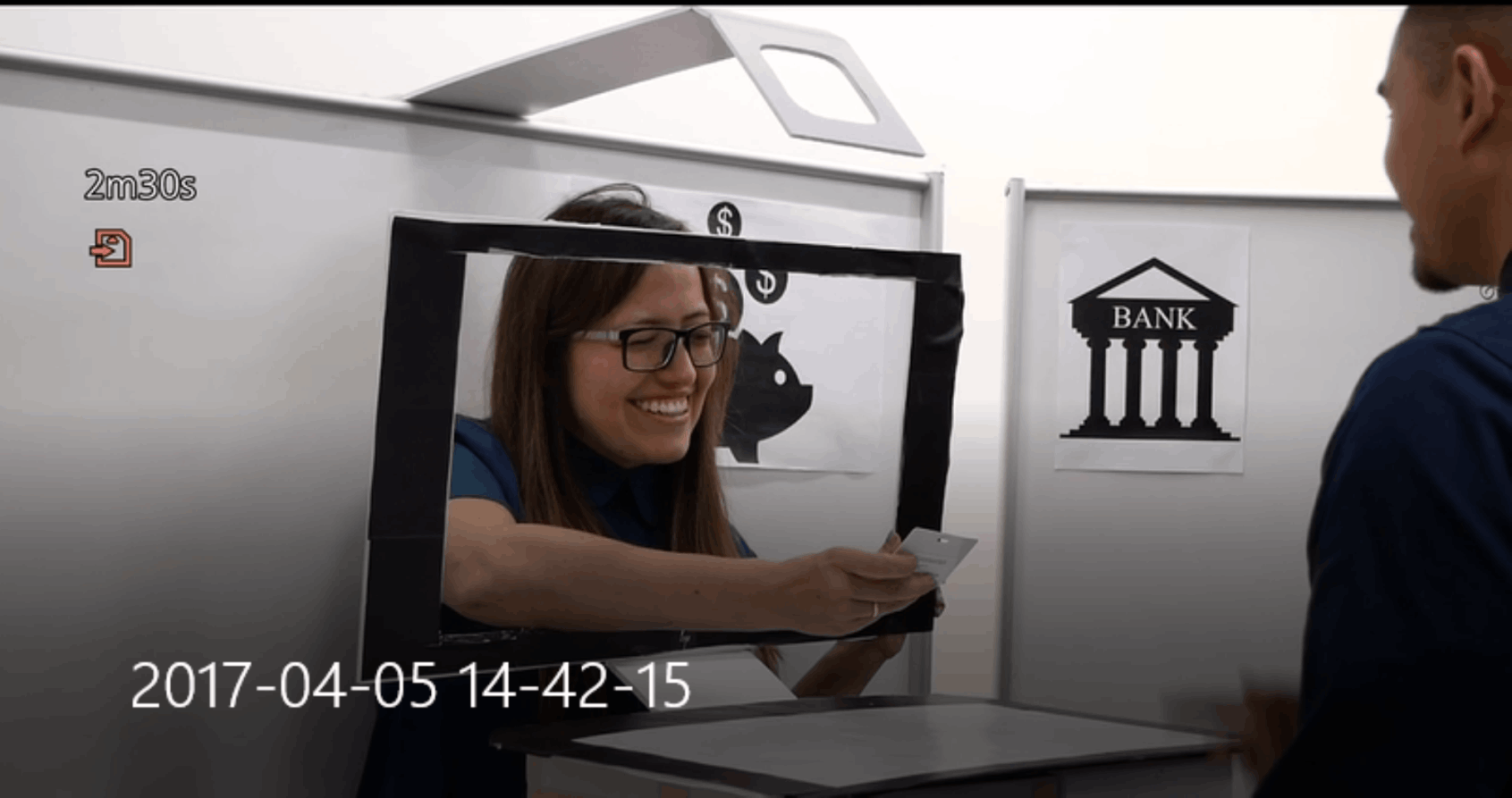
Experience prototyping and role-playing session

Experience prototyping with role-playing — simulating bank teller telepresence interactions to stress-test the interaction model before digital development.

From Desktop App
to Public Platform

Transforming a personal creative tool into a public kiosk required rethinking every assumption — session management, navigation hierarchy, error recovery, and trust signals.

01
Field Research & Journey Mapping

Observed users in museums, libraries, and offices. Mapped journeys for first-time visitors across all key tasks — capturing, scanning, archiving, and sharing. Identified critical drop-off moments in the existing Sprout UX when used without support.

02
Experience Prototyping & Role Play

Built physical and digital prototypes for novel interaction models including telepresence and virtual assistant flows. Ran role-playing sessions with colleagues to simulate stranger-use scenarios and stress-test assumptions at low cost before engineering.

03
Dual-Layer System Design

Designed two distinct UX layers: a locked-down, timed, touch-first visitor experience and a full-featured admin configurator. Each layer had its own information architecture, interaction model, and trust level — with no crossover confusion.

Designed for First-Time,
Every Time

Each user journey was mapped against the constraint that the system was already set up and waiting. No login, no tutorial — just clear affordances and progressive disclosure.

User journey map for first-time public users

User Journey — First Time / Public Use. Designed around the constraint that Sprout is pre-configured and ready. Each persona's goal is achievable within minutes, without instruction.

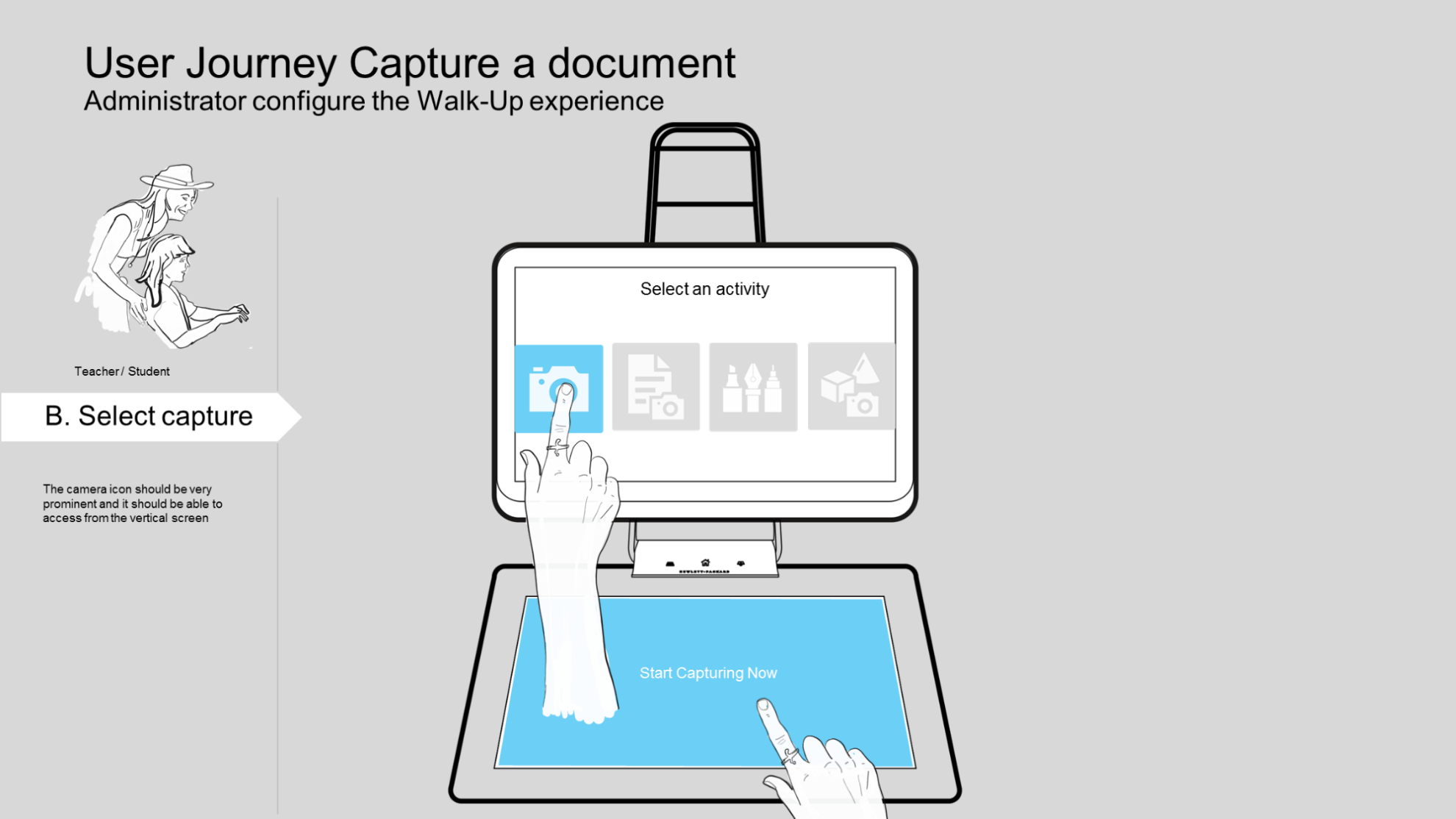
Walk-UP user journey: select capture activity

B. Select an activity — camera icon prominent on both vertical screen and touch mat

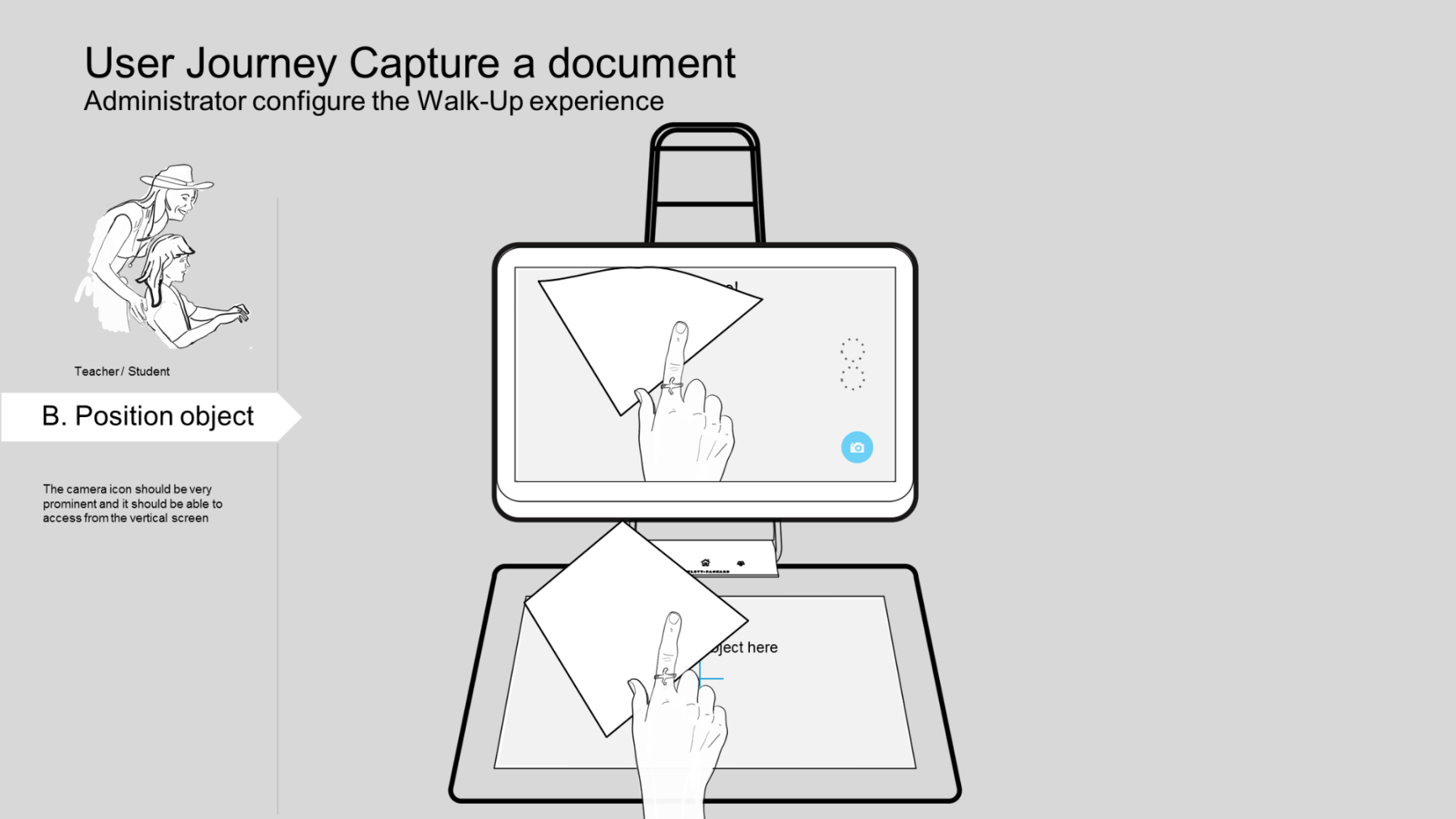
Walk-UP user journey: position object on touch mat

B. Position object — live preview on vertical screen guides placement

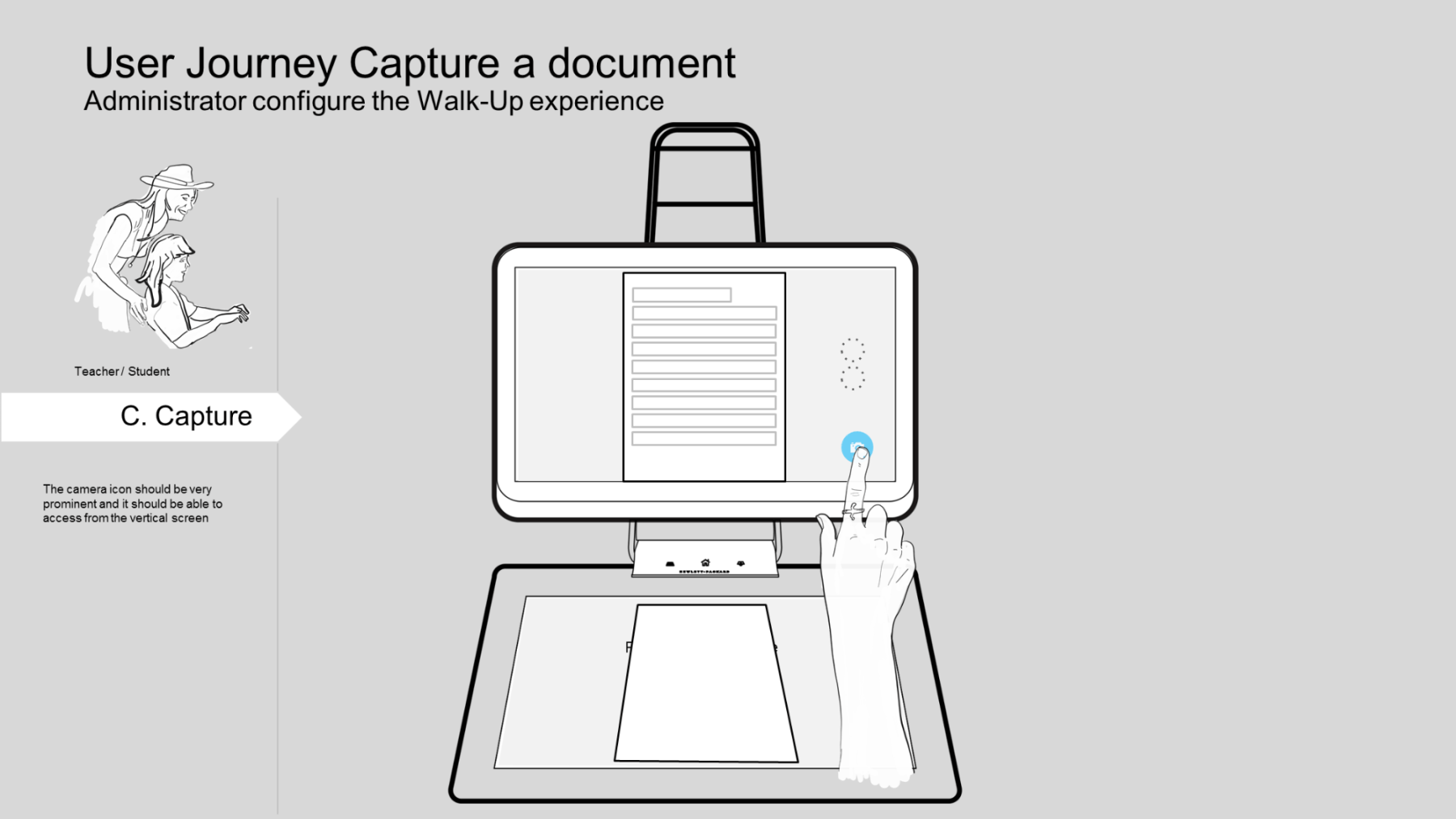
Walk-UP user journey: capture document

C. Capture — one tap, document captured. Session timer visible at all times

System Architecture

A Platform, Not a Feature

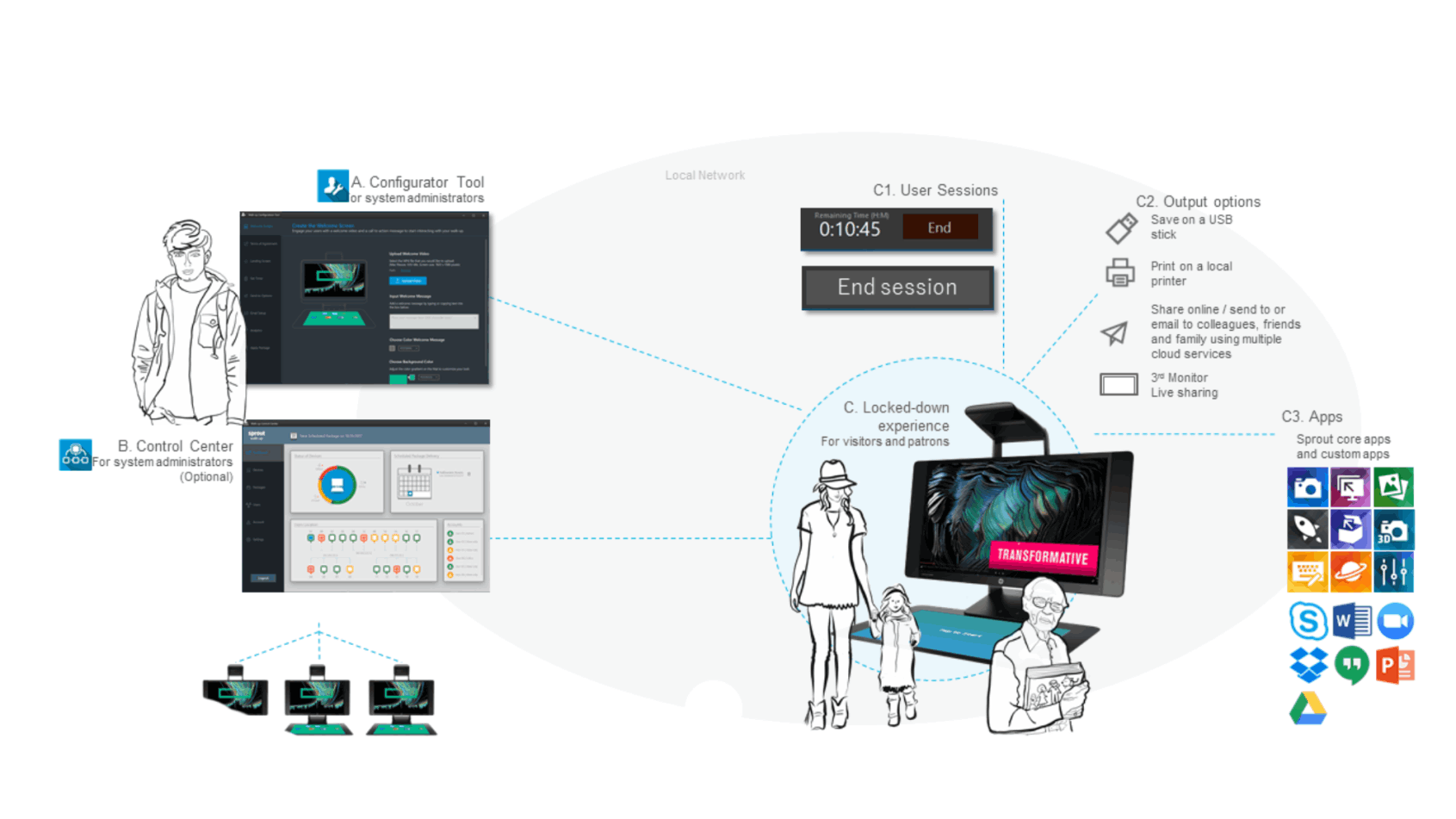
Walk-UP was designed as a complete ecosystem — not a skin on top of Sprout's existing software. It comprised a Configurator Tool for administrators, an optional Control Center for multi-device fleet management, and a locked-down visitor experience with timed sessions, curated apps, and multiple output paths.

Walk-UP system architecture diagram

System architecture: Configurator Tool (A), optional Control Center for multi-unit management (B), and the locked-down public experience (C) with session management, output options, and curated app selection.

One Platform,
Infinite Contexts

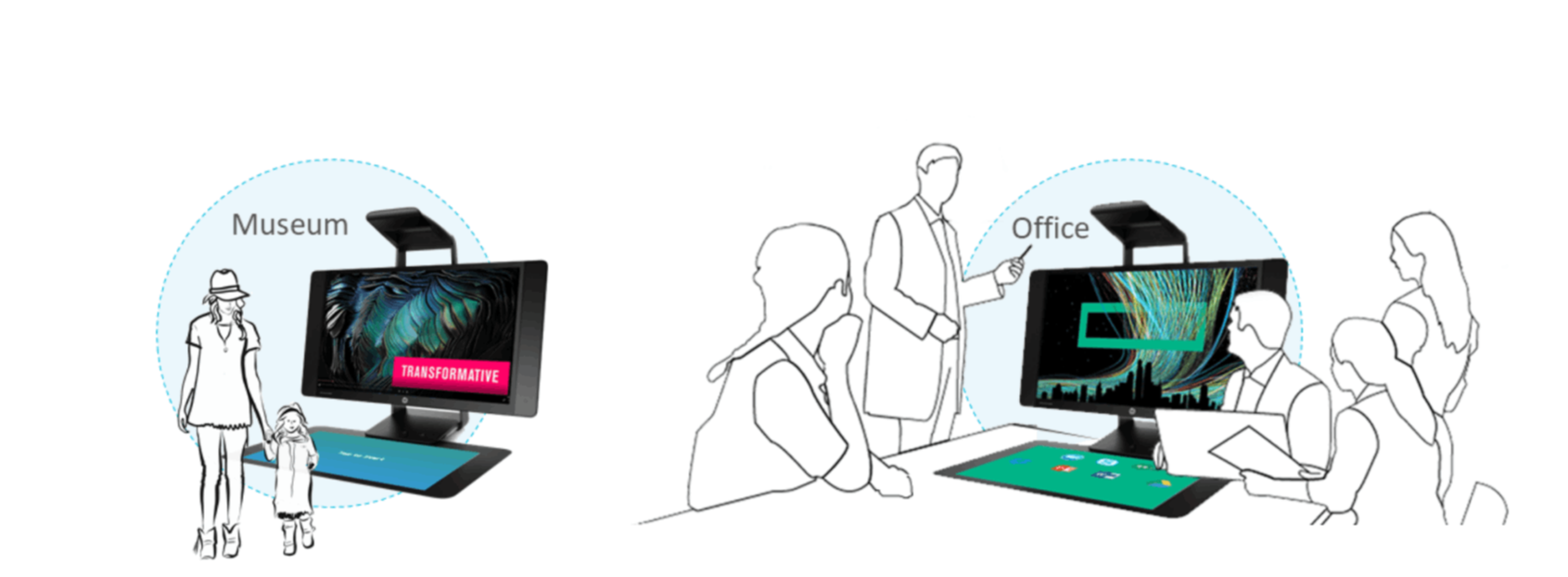
The core UX challenge was adaptability without chaos. A museum needed theatrical, immersive visuals. A library needed calm, utilitarian clarity. A bank branch needed trust signals and transactional precision.

The Walk-UP configurator allowed administrators to define their own brand identity — colors, logos, welcome videos, background imagery — while the underlying interaction model remained consistent and learnable across all deployments.

Session management was equally critical. The timed session model (configurable up to 20 minutes) protected privacy between users and reset the device to a clean state automatically. Outputs — USB, print, email, cloud share, or live display on a third monitor — were surfaced only at the right moment, not buried in menus.

The result: an experience that felt native to each space while sharing a single, maintainable codebase and UX framework.
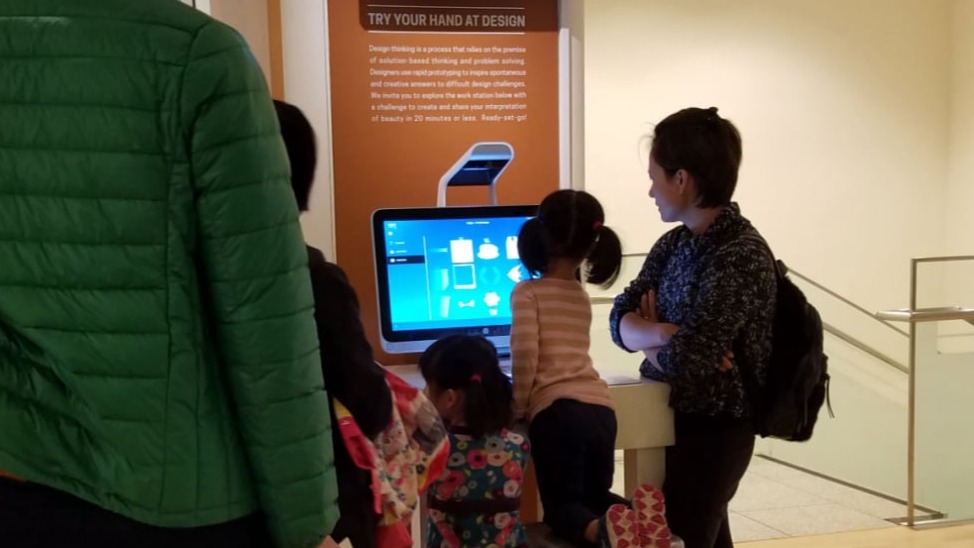
Branding and adaptability — museum and office contexts

Museum and office deployment contexts — same hardware, radically different brand expressions. The configurator enabled this without engineering changes.

Real Users,
Real Spaces

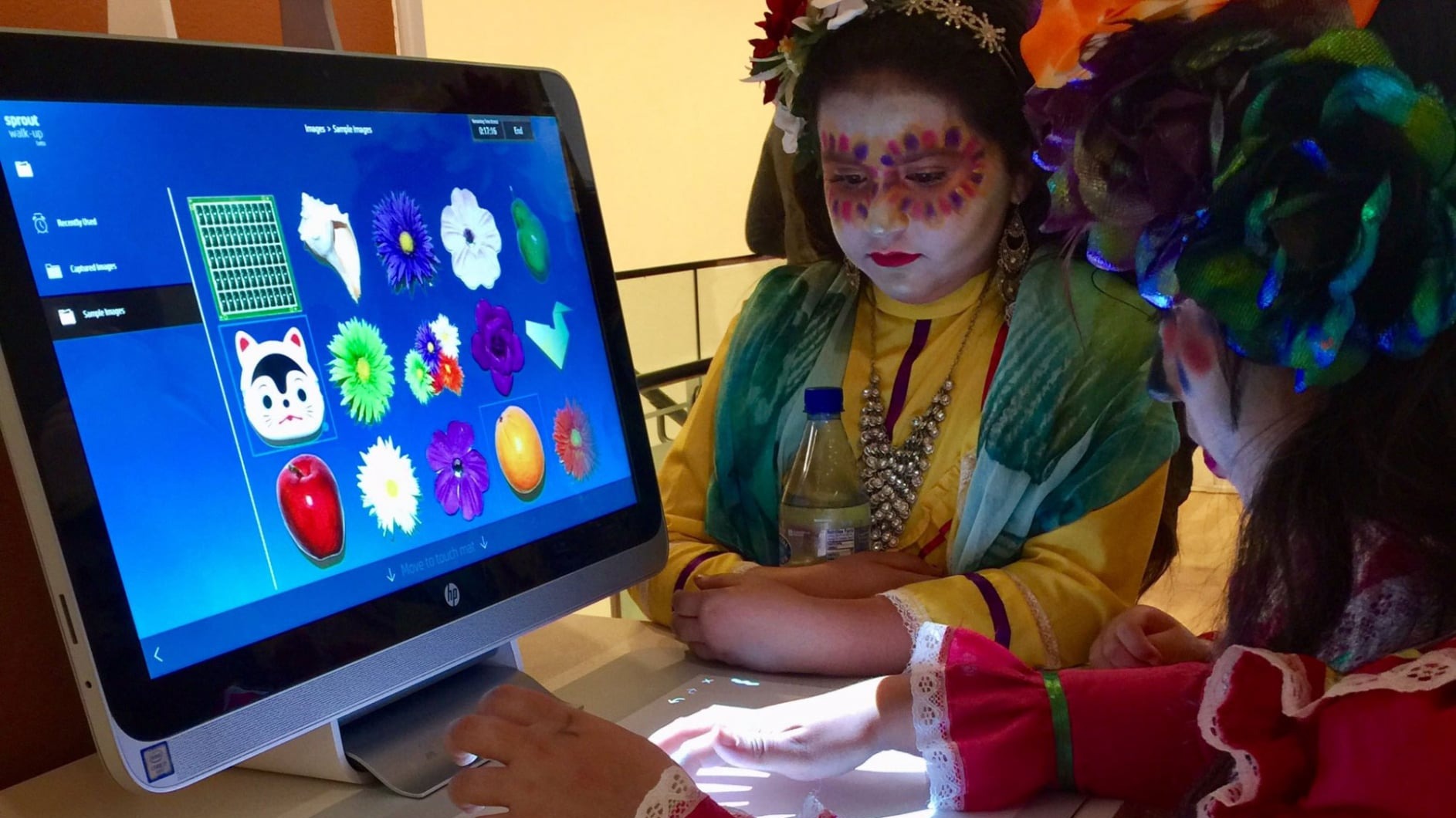
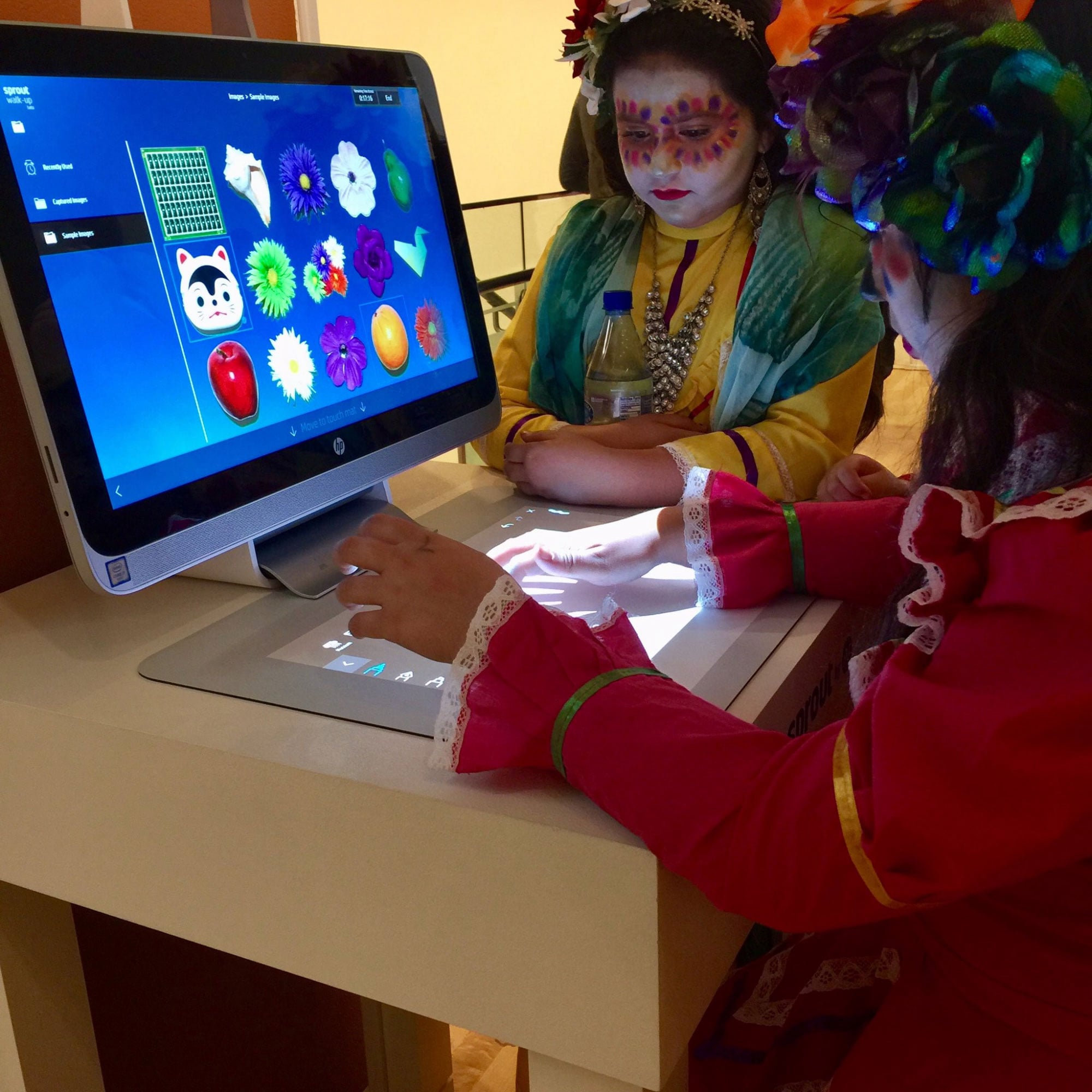
Walk-UP deployed across museums, libraries, and educational events. Seeing the system in use — children in costume exploring the touch mat, elderly visitors scanning heirlooms, families collaborating side by side — validated the core UX hypothesis: delight is achievable without instruction.

Children using HP Sprout Walk-UP at a cultural event Children interacting with Sprout touch mat at event

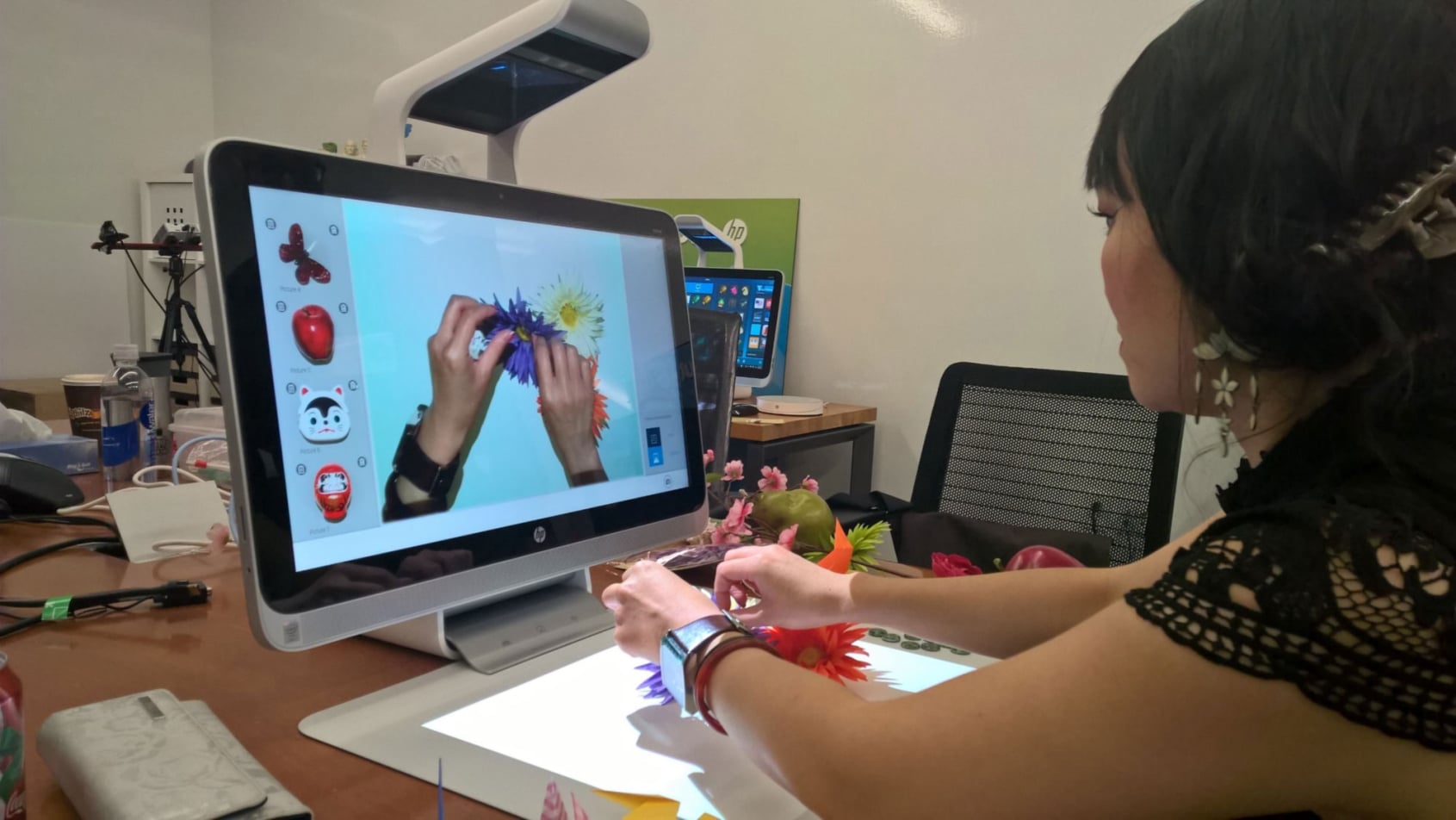
Walk-UP deployed at a cultural education event — children in traditional dress using the touch mat intuitively, with no instruction required.

Designer testing Walk-UP in HP lab with physical objects

Lab testing — exploring the capture interaction with physical objects on the touch mat, validating the overhead camera's live preview UX before finalizing interaction flows.

What Walk-UP Delivered

Zero-Training UX

First-time visitors across age groups completed core tasks — capture, scan, share — without any instruction or support staff intervention.

Multi-Context Deployment

A single platform shipped across museums, libraries, offices, and retail environments — each with unique branding and app configurations.

Scalable Administration

The Configurator Tool and optional Control Center gave administrators full control over multi-unit fleets without engineering support.

UX Leadership
End to End

  • Defined UX vision and product strategy for the Walk-UP platform
  • Led field research across museums, libraries, and offices to map first-time user journeys
  • Designed dual-layer UX: locked visitor experience + admin configurator tool
  • Led experience prototyping workshops including role-playing and physical prototypes
  • Collaborated with cross-functional teams to align UX with hardware and software constraints
  • Ensured accessibility and usability across a multi-generational user base
  • Presented vision and rationale to HP stakeholders and enterprise partners

Designing for
Zero Context

Walk-UP taught me that the most demanding UX challenge isn't complexity — it's radical simplicity under real constraints. Every affordance had to work for an 8-year-old and an 80-year-old. Every session had to end cleanly with no trace of the previous user.

It deepened my conviction that great public UX is invisible. When a child touches the mat without hesitation, when a visitor scans a document and emails it home without asking for help — that's the design working. No applause, no recognition. Just flow.

The administrator experience was equally instructive: configurability is only powerful when it's bounded. Giving admins infinite options creates paralysis. Giving them a structured set of meaningful choices creates ownership.

← All Projects HP Sprout 3D Capture →