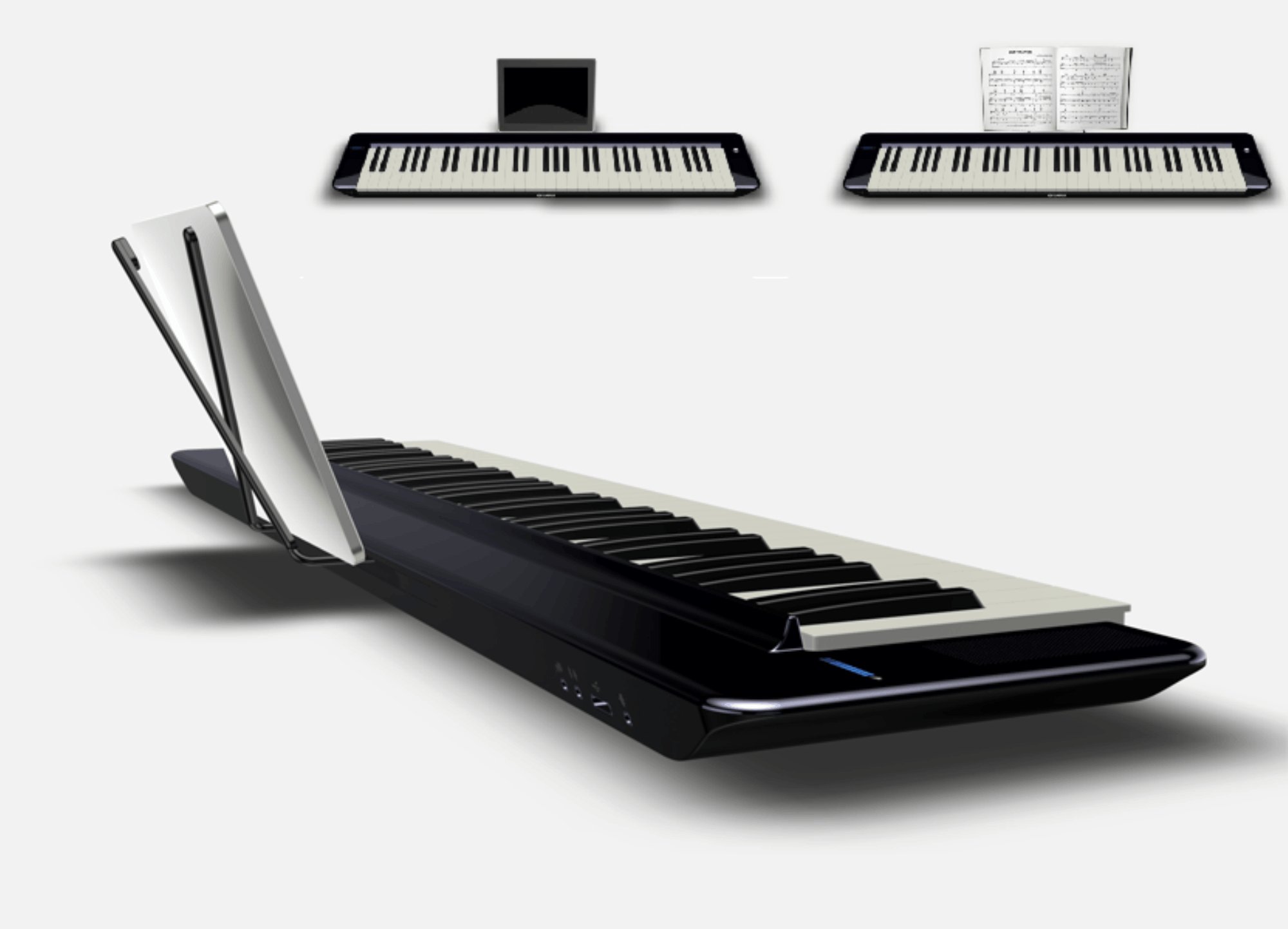
Yamaha Future Keyboard concept
Yamaha Music R&D · London · 2011

Yamaha
Future
Keyboard

RoleUX Designer — Solo Designer in R&D Team
PlatformHardware + iPad App Ecosystem
OutcomeNoteStar — Shipped iPad App
ExhibitedMusic & Tech Expo, Japan

Making Piano Learning Actually Fun

Jon is bored. He'd rather be on Instagram or playing Xbox than practicing scales his teacher assigned. He's not alone — piano dropout rates are notoriously high, and traditional learning methods haven't meaningfully evolved in decades.

Yamaha's R&D team in London asked a radical question: what if learning piano felt more like a social game than a chore? I was the sole UX designer embedded in a team of engineers, tasked with reimagining the entire keyboard experience for a generation raised on smartphones, social networks, and on-demand everything.

The result was a vision for a connected piano ecosystem — and a shipped iPad app called NoteStar — that used popular music, gamification, and social sharing to turn solo practice into something people actually wanted to do.

1
UX Designer on the entire R&D team
4
Core pillars: learn, simplify, share, loop
11–15
Age range of primary user testing group
🇯🇵
Exhibited at Yamaha Music & Tech Expo, Japan
The Problem

The Piano Hasn't Changed.
Learners Have.

Traditional piano learning is isolated, rigid, and tied to repertoire nobody under 25 wants to play. Meanwhile, the devices learners already carry — phones, tablets, game controllers — are rich, social, and endlessly motivating. The gap between how learners live and how they're expected to learn was the core design problem.

MOTIVATION GAP

Learners quit because practice feels disconnected from music they love. Classical repertoire doesn't speak to them.

ISOLATION GAP

Piano learning is solitary by default. There's no social loop, no community, no sense that others are learning alongside you.

TECHNOLOGY GAP

The keyboard hardware was unchanged. But learners' existing tech — iPads, phones, game consoles — went completely untapped.

Four Pillars of
a New Experience

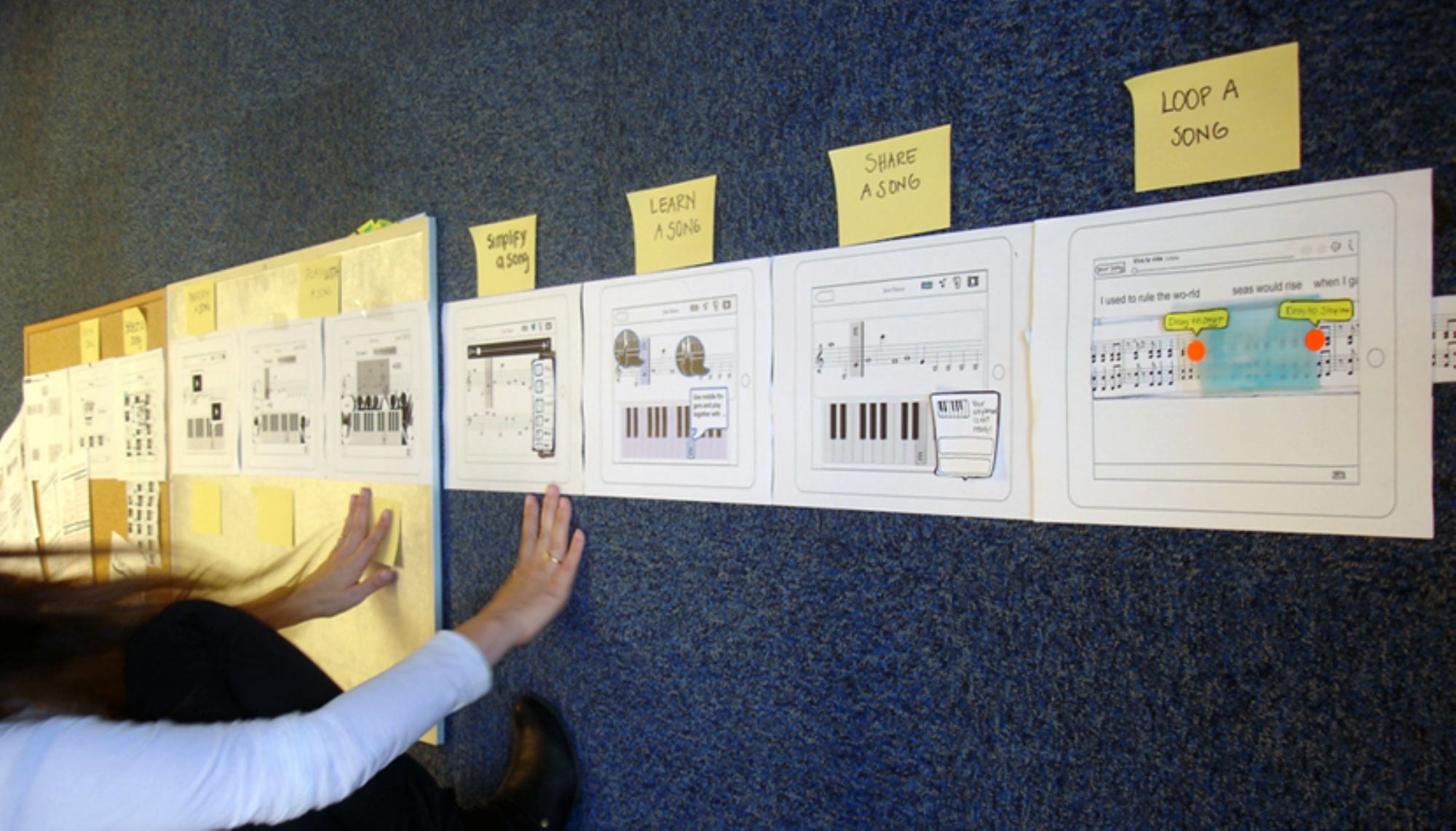
The user journey wall — built from field research and scenario mapping — revealed four core activities that a future keyboard experience needed to support. Everything we designed mapped back to these.

User journey mapping wall — Simplify, Learn, Share, Loop a Song

Journey mapping wall: four key user activities — Simplify a Song, Learn a Song, Share a Song, Loop a Song — each validated through user scenarios and paper prototyping sessions.

🎵
Learn a Song
Learn any song you love — not what a teacher assigns. Interactive sheet music scrolls in sync with playback, annotations from other learners surface contextual tips.
✂️
Simplify a Song
Strip a score to its essentials — remove key signatures, reduce complexity — so beginners can start playing real songs on day one without being overwhelmed.
🔁
Loop a Song
Drag to set a loop region over any difficult passage. Practice that one bar until it clicks — without losing your place or restarting the whole piece.
📤
Share a Song
Record and share performances directly to social networks. Friends can listen, react, and send the score back — turning a solo performance into a conversation.
The social hypothesis: people motivate people. If your friend just shared a performance of a song you both love, you're more likely to open the app and try it yourself. We designed the entire sharing loop — from recording a performance to posting it to social networks and receiving it as a playable score — as a first-class feature, not an afterthought.

From Scenarios
to Storyboards

As the only designer among engineers, I led all UX ideation — sketching scenarios, mapping interaction flows, and building storyboards that communicated the vision to the team and to Yamaha stakeholders.

Early sketches, storyboards and user scenario notes

Early sketching phase — scenario storyboards mapping Jenny and Marcelo's learning journeys, annotation flows, and social moments. Notes read: "Learning together is more fun!"

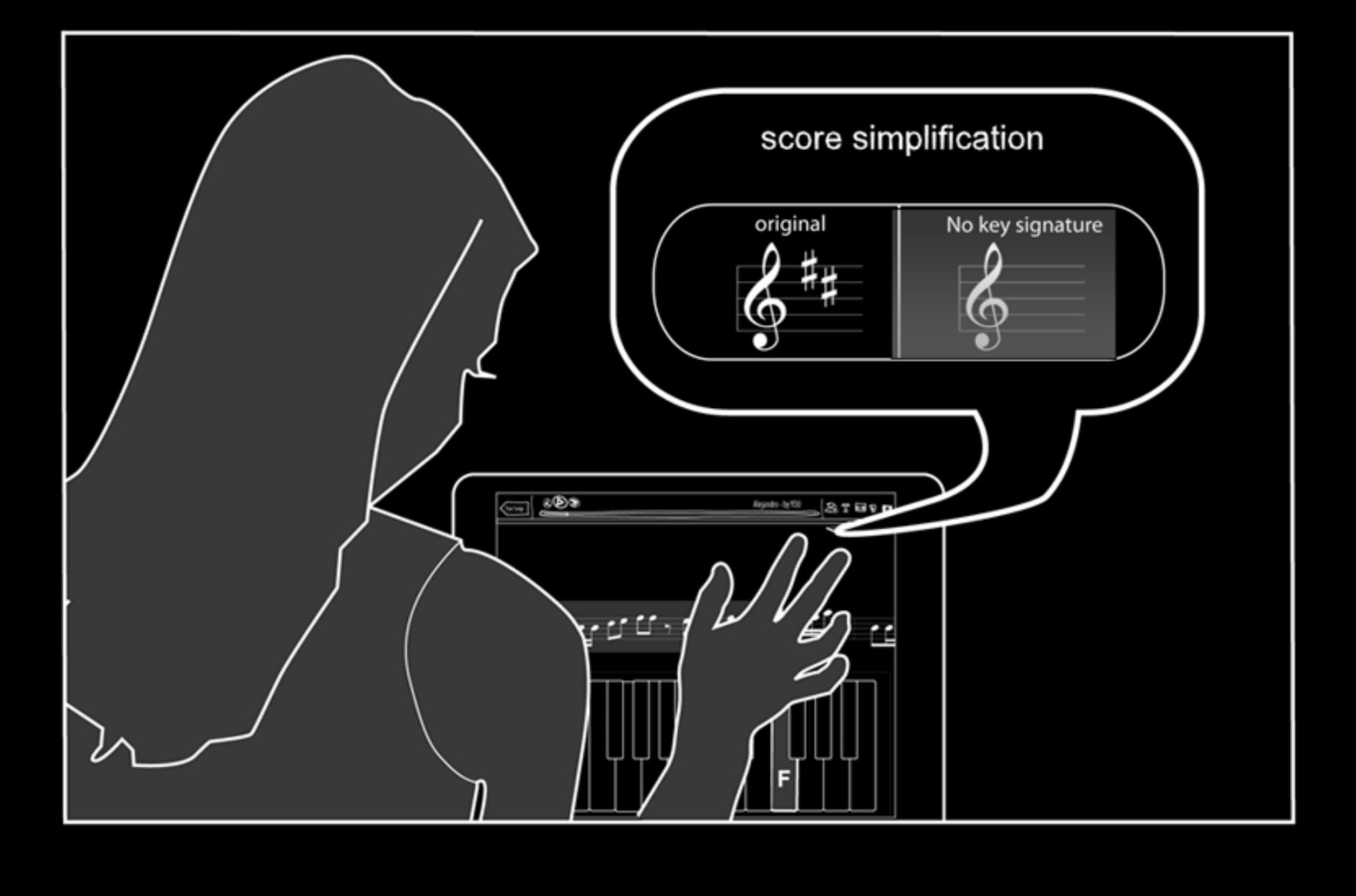
Storyboard: score simplification feature

Score simplification — a beginner removes sharps/flats to play a stripped version of a song they love, with the original always one tap away.

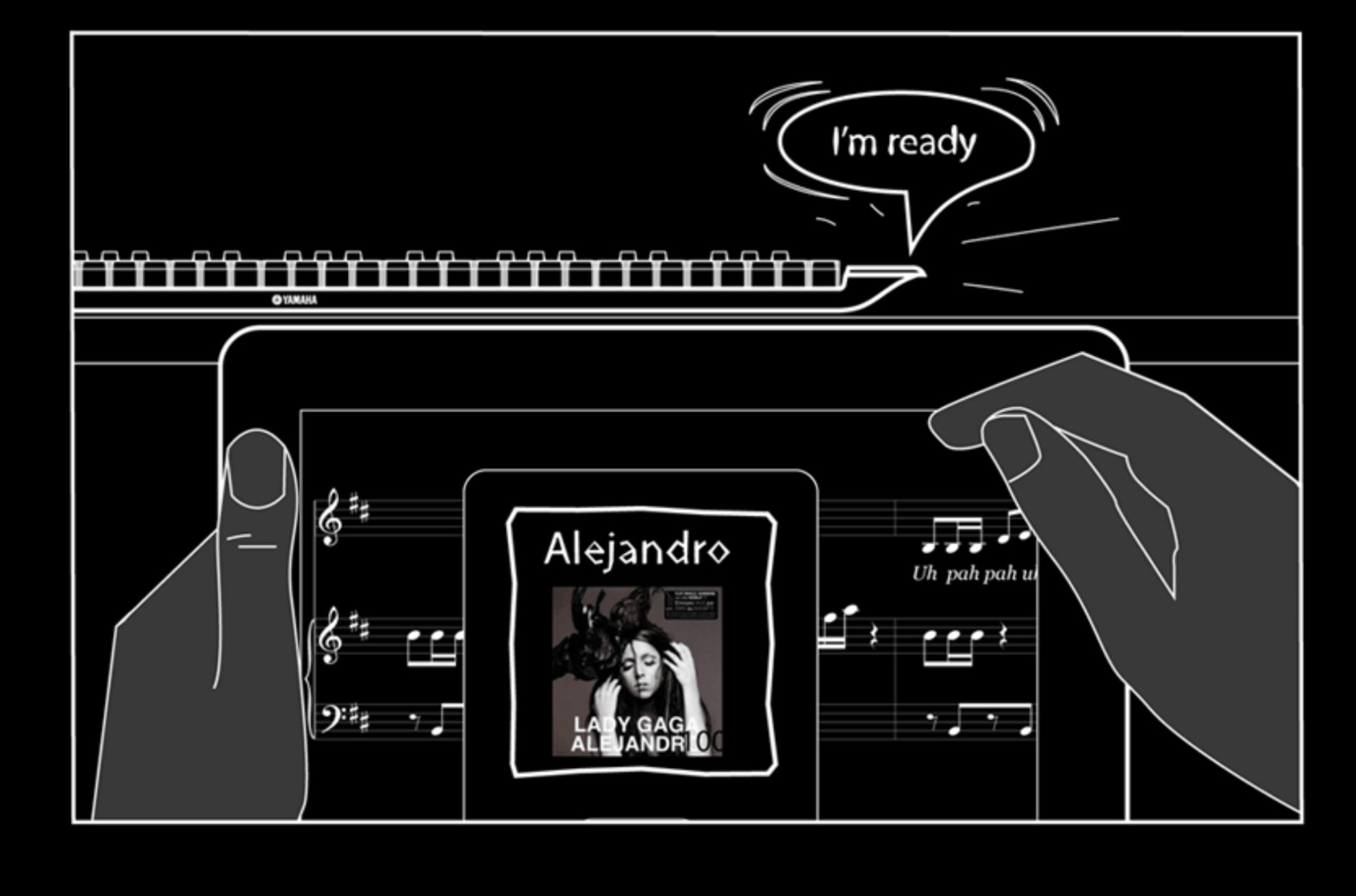
Storyboard: song discovery and play

Song discovery — selecting a popular track, the keyboard signals "I'm ready", and the score loads with lyrics and notation synchronized.

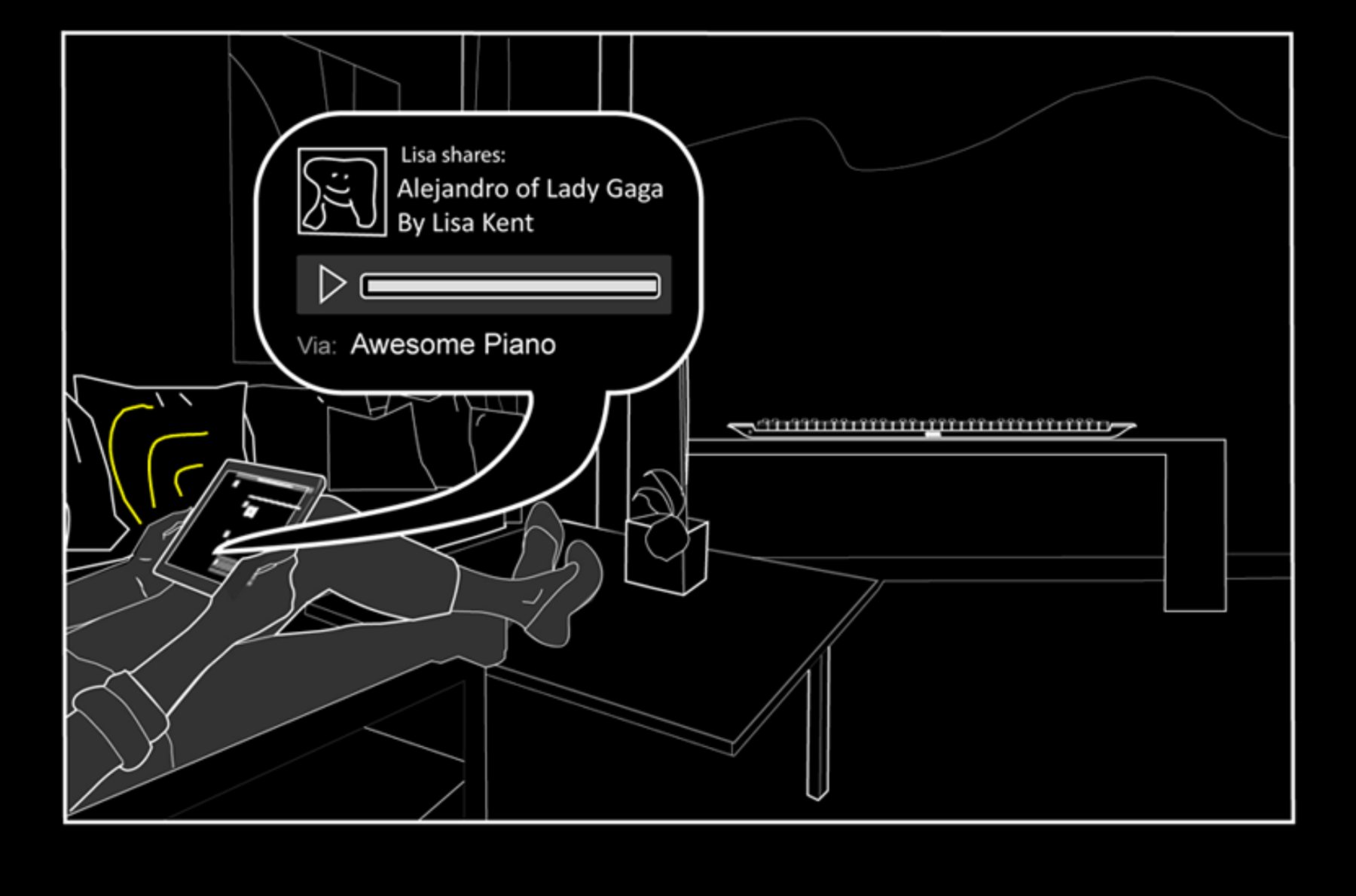
Storyboard: sharing a performance to social networks

Social sharing — Lisa shares her performance of Lady Gaga's Alejandro via the app; friends receive it as a playable score, not just a recording.

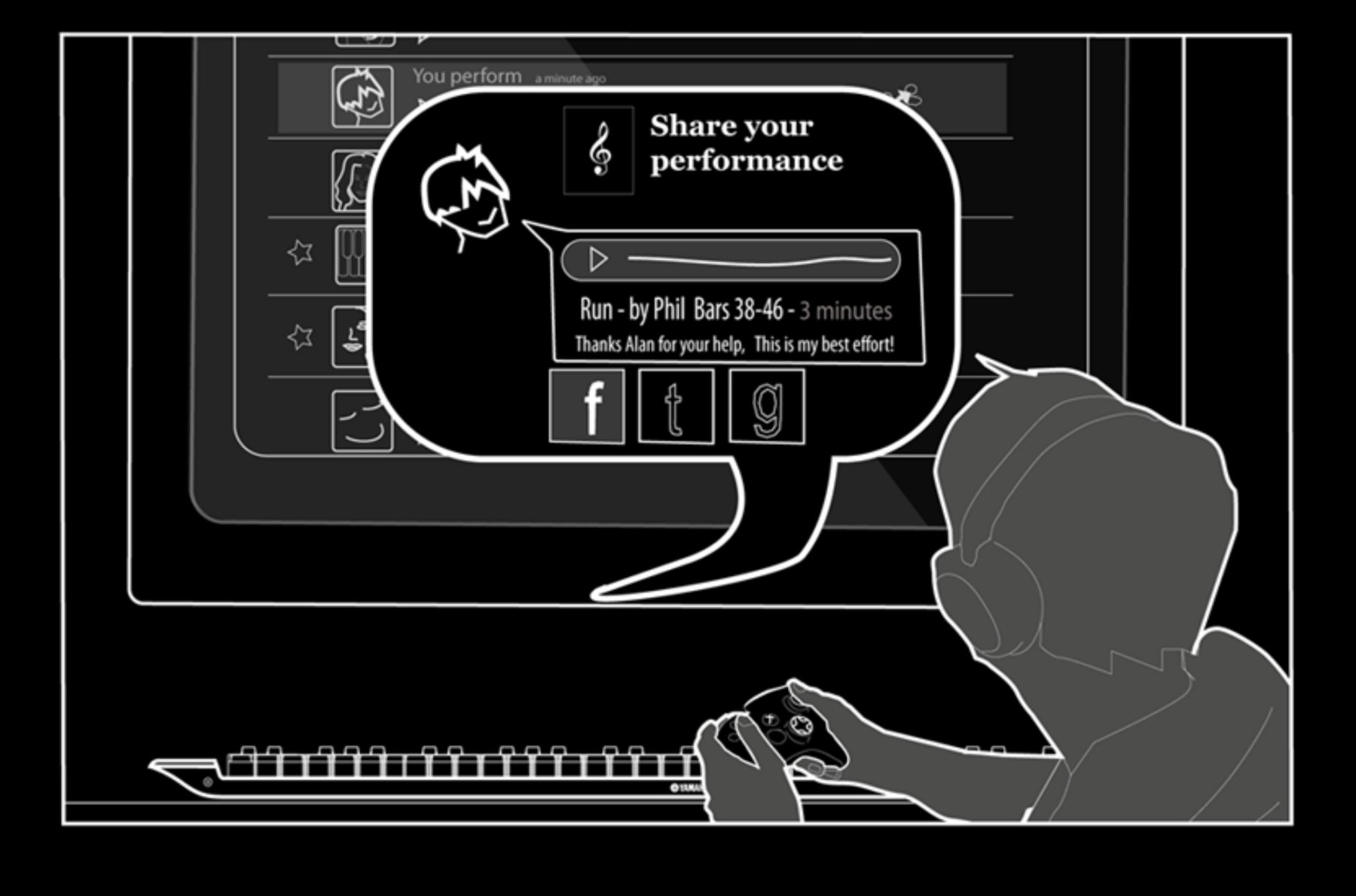
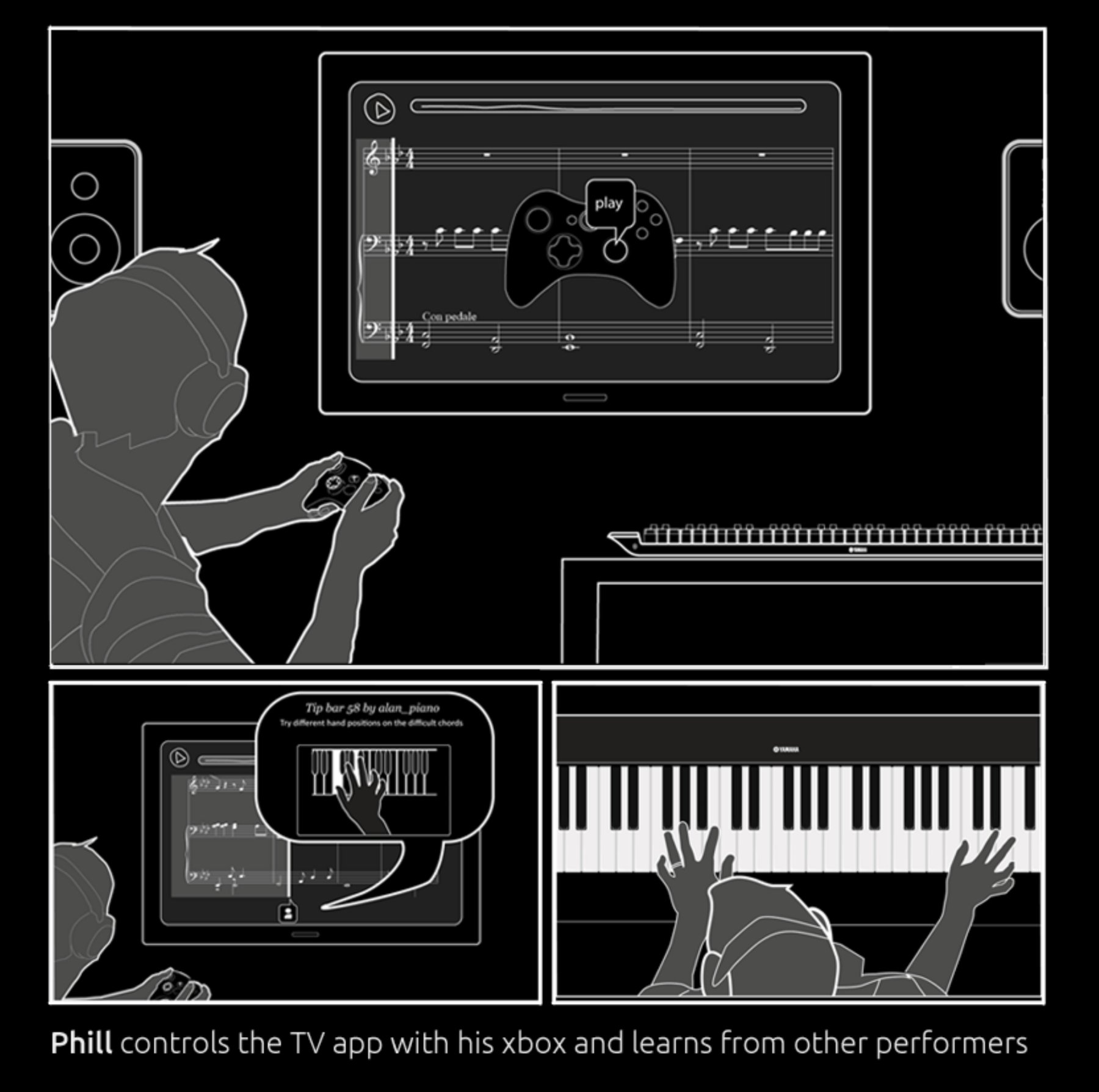
Storyboard: Phill learns with Xbox controller on TV

Multi-screen learning — Phill controls the TV app with his Xbox controller and learns from other performers' annotated tips, then plays on his Yamaha keyboard.

Built with Paper,
Validated Fast

With no design tools budget and an engineering-heavy team, paper prototyping was the fastest way to test interaction ideas, gather feedback, and iterate before writing a single line of code.

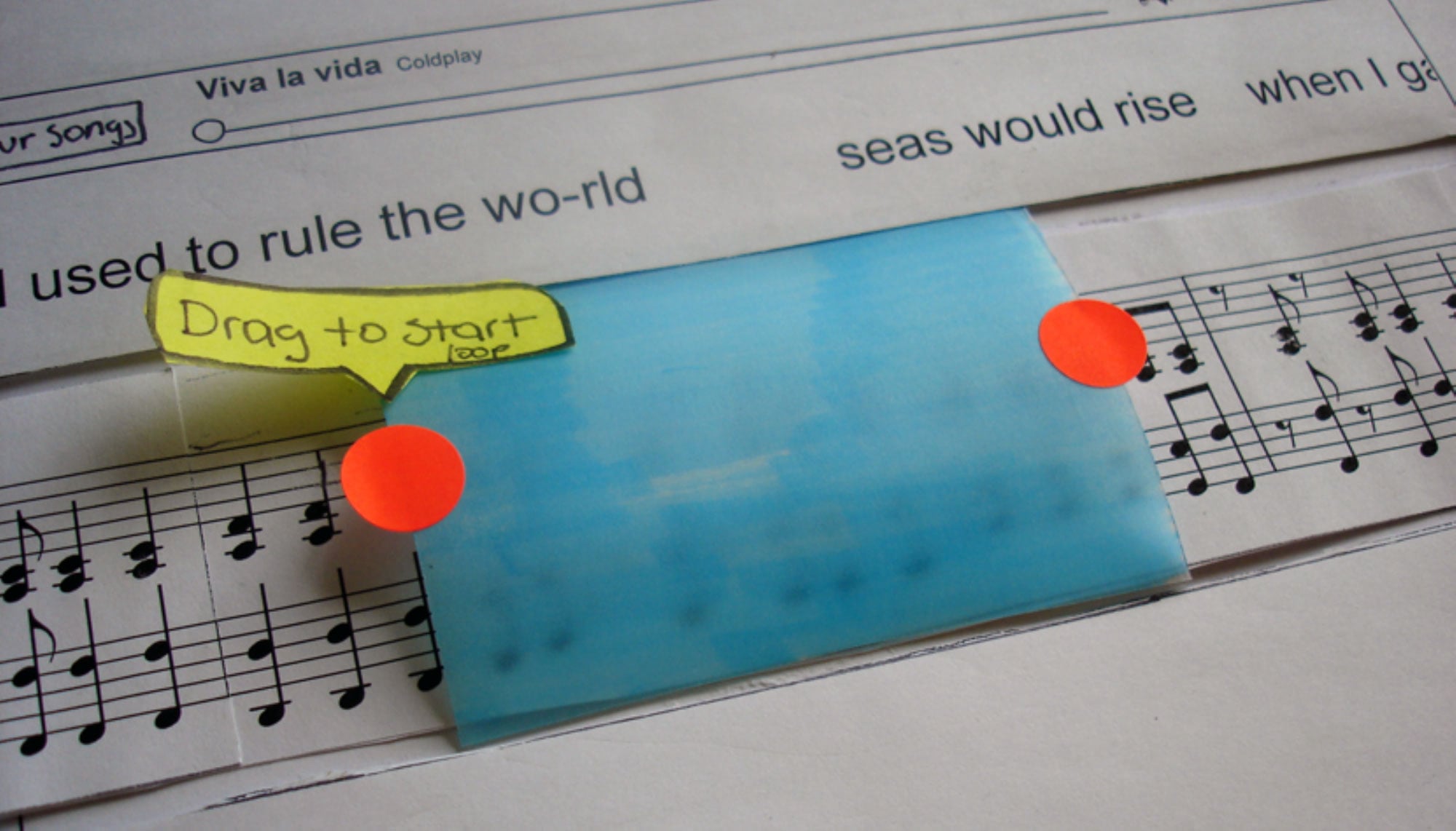
Paper prototype: song looping UI with drag handles

Loop region prototype — blue acetate overlay + red dot handles to drag start/end points on sheet music. Tested gesture intuitiveness before digital implementation.

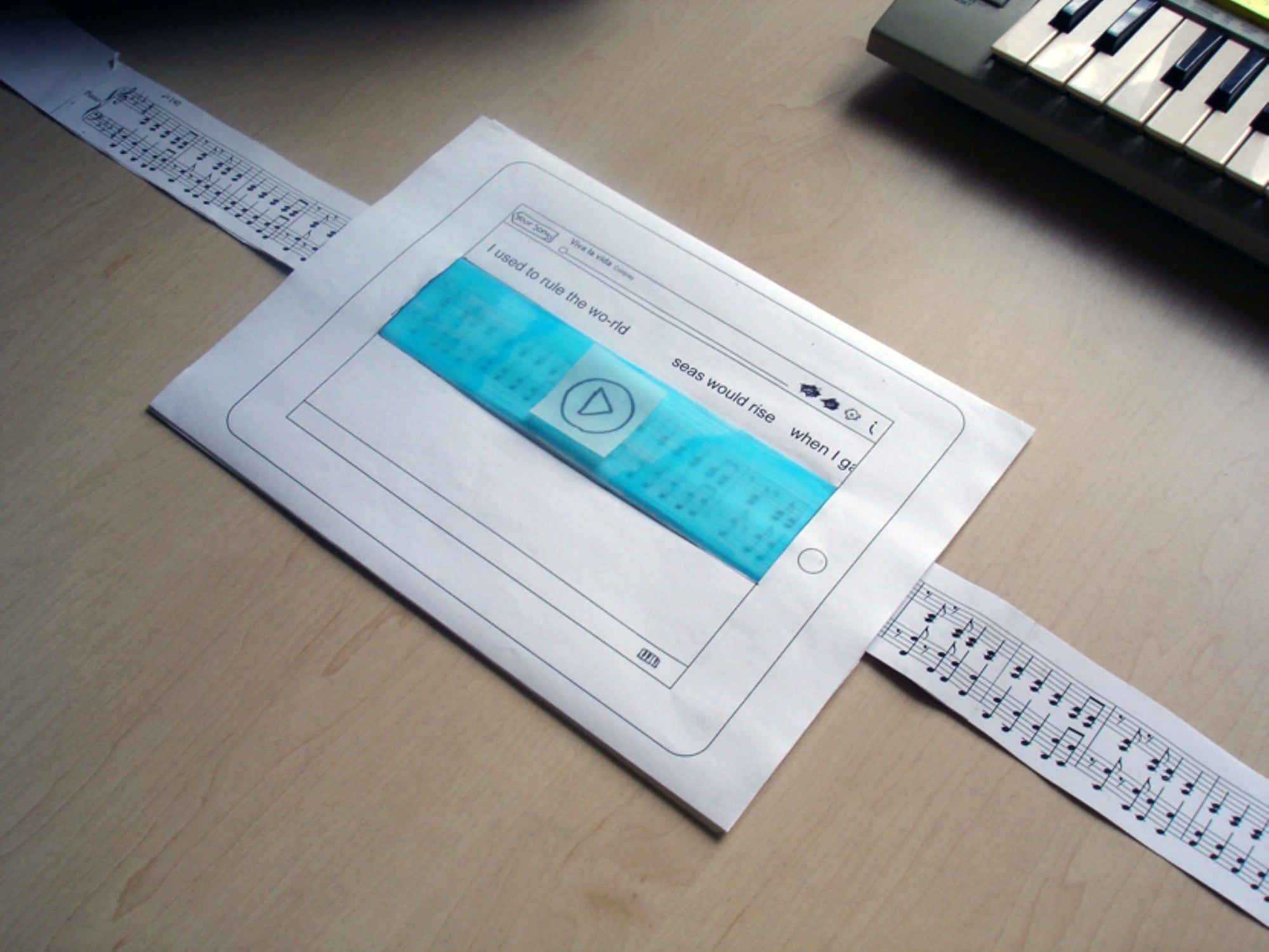
Paper scrolling prototype on tablet with sheet music strip

Scrolling sheet music prototype — a physical paper strip threaded through a tablet frame simulated the continuous score scroll interaction before any code was written.

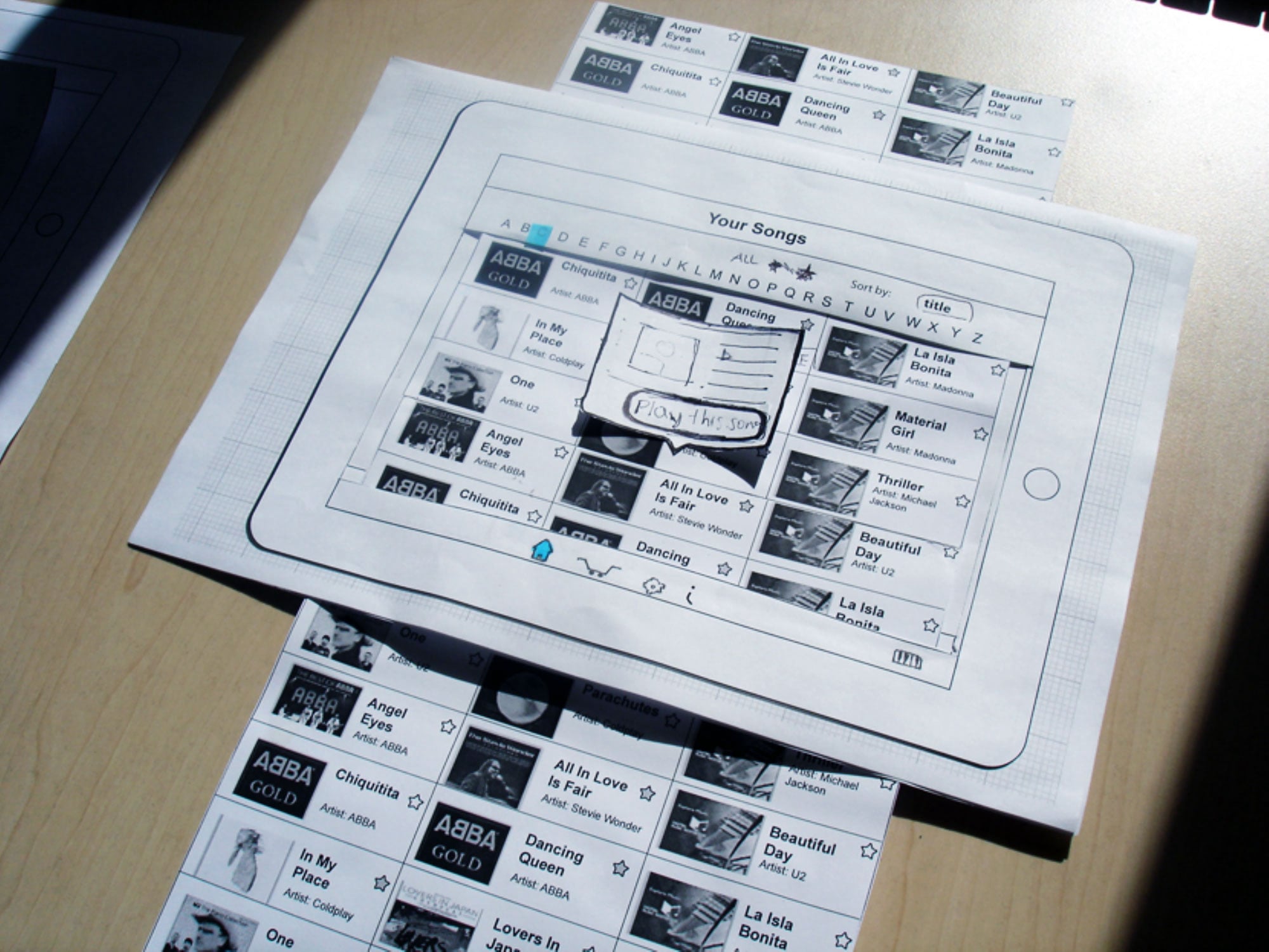
Paper prototype: song library and in-app shopping

Song library + integrated shopping — paper prototype for browsing and purchasing scores, with animated overlay cards tested by swapping printed panels.

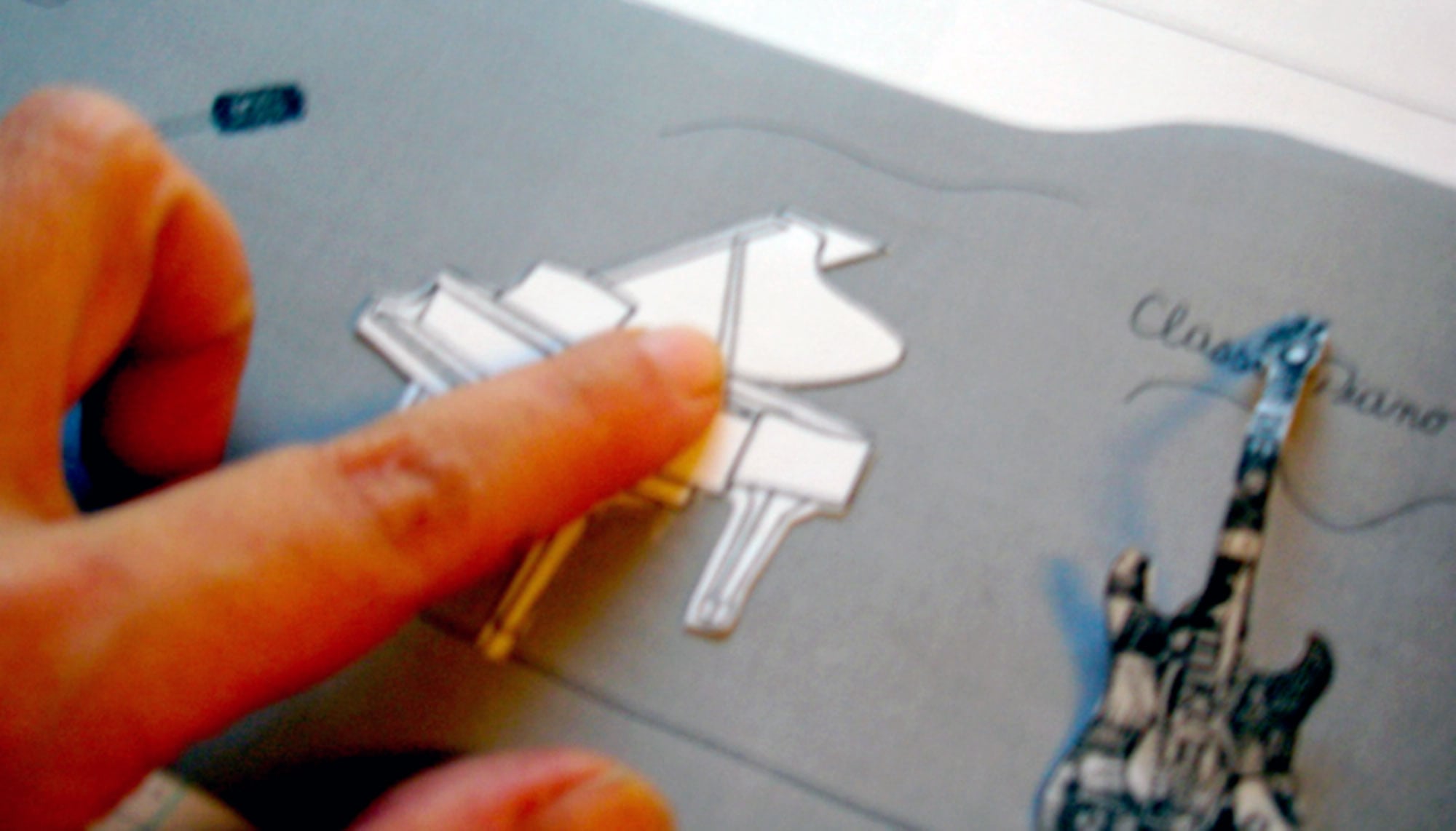
Tangible paper prototype for instrument and genre selection

Tangible prototype — physical cutout instruments (grand piano, guitar) were moved on a printed surface to explore genre and instrument selection gestures.

Flows That Connect
Playing to Sharing

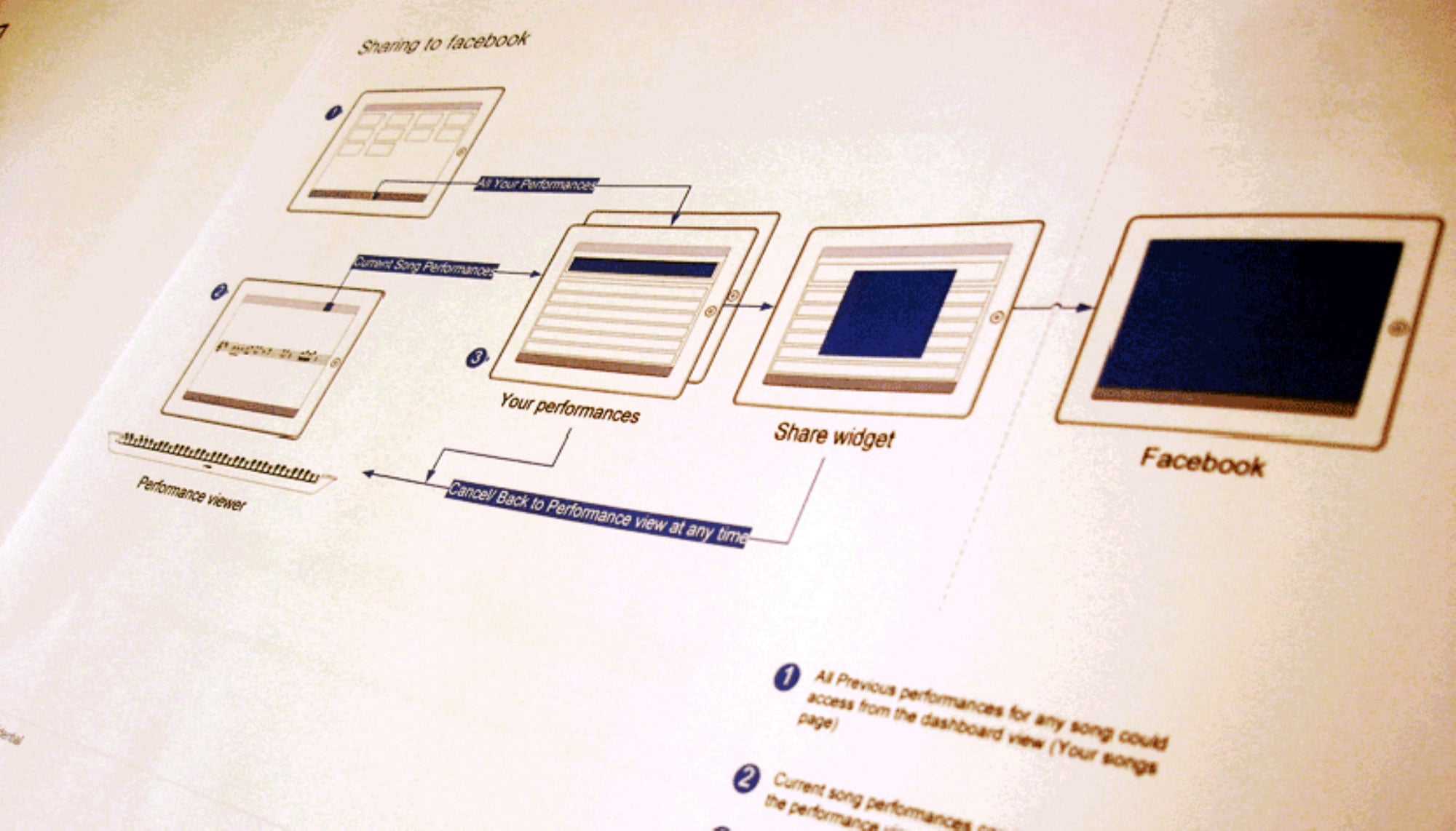
A core design challenge was making the social layer feel native to the instrument — not bolted on. We mapped the full social flow: from recording a performance segment, to browsing your own history, to sharing to Facebook and receiving back a playable score.

The user flow diagrams went through multiple iterations before we landed on a model that felt as natural as posting a photo — but rooted in the musical moment just experienced.

Annotations were another key interaction: other learners could leave tips at specific bars — "try different hand positions on the difficult chords at bar 58" — surfaced contextually as you played through the score.

This created a community knowledge layer on top of every song: you were never practicing alone, even when physically alone.

User flow diagram for social network connection and sharing

Social flow: Performance Viewer → Your Performances → Share Widget → Facebook. Annotations, tips, and scores flow back the other way.

Large visual menus for easy song selection

Large visual song menus — designed for quick recognition without typing, with album art, artist, and favoriting at a glance.

The Shipped Product

NoteStar

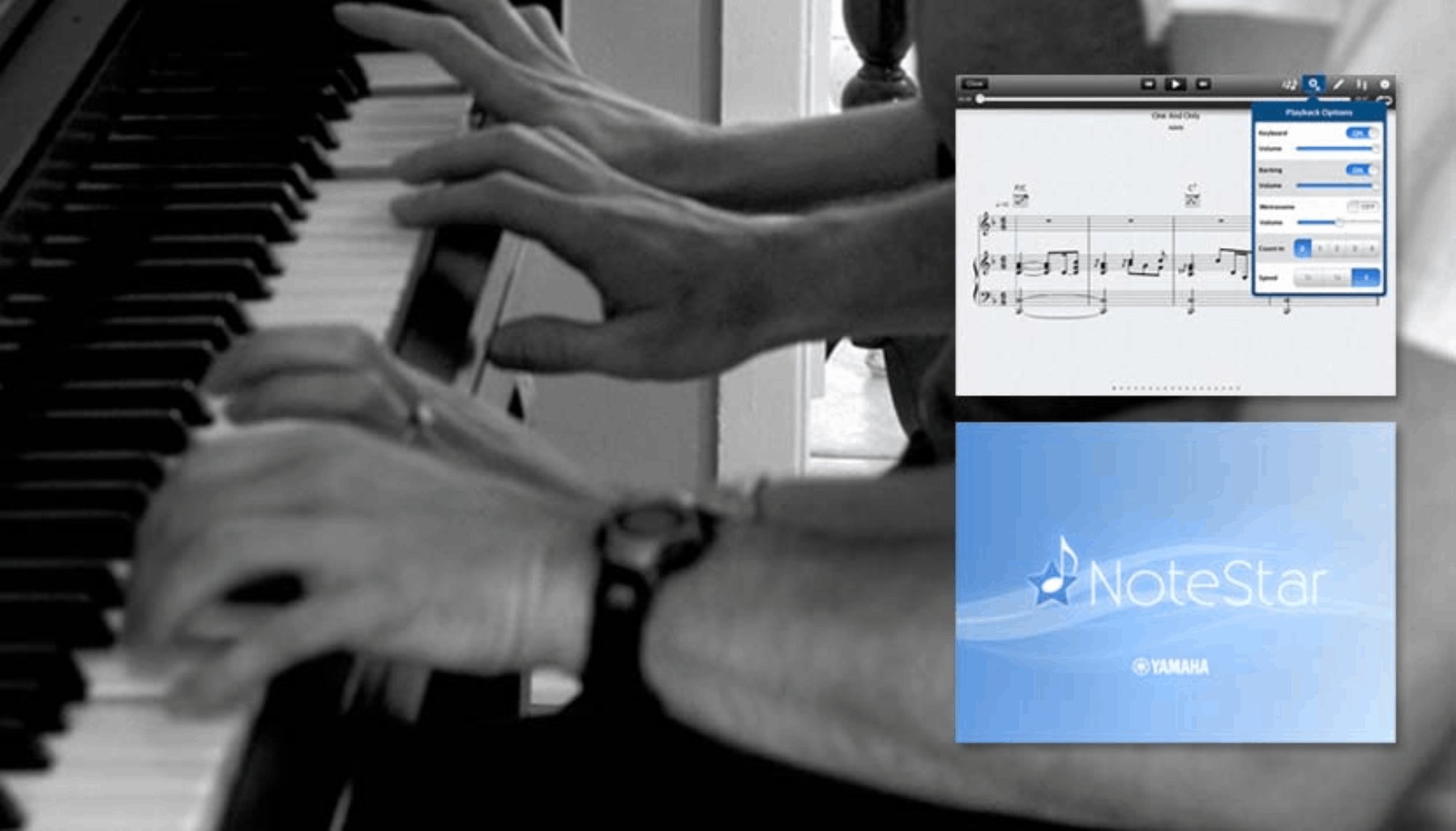
The vision crystallized into NoteStar — Yamaha's iPad app featuring hands-free, smooth-flowing digital sheet music, real audio backing tracks, lead vocals, and social sharing. It was the direct output of the Future Keyboard research.

Hands-Free Scrolling
Sheet music scrolls automatically in sync with playback — no page turns, no interruptions, no losing your place mid-song.
Popular Music First
Learn the songs you already love — pop, rock, chart hits — not classical repertoire chosen by a teacher.
Backing Tracks & Vocals
Real audio backing tracks and lead vocals play alongside your piano, so practice sessions feel like actual music, not exercises.
Social Performance
Record, share, and receive performances from friends. Turn solo practice into a connected, motivating community experience.
NoteStar app — hi-fi prototype with popular music content

Tested with Teens,
Shown in Japan

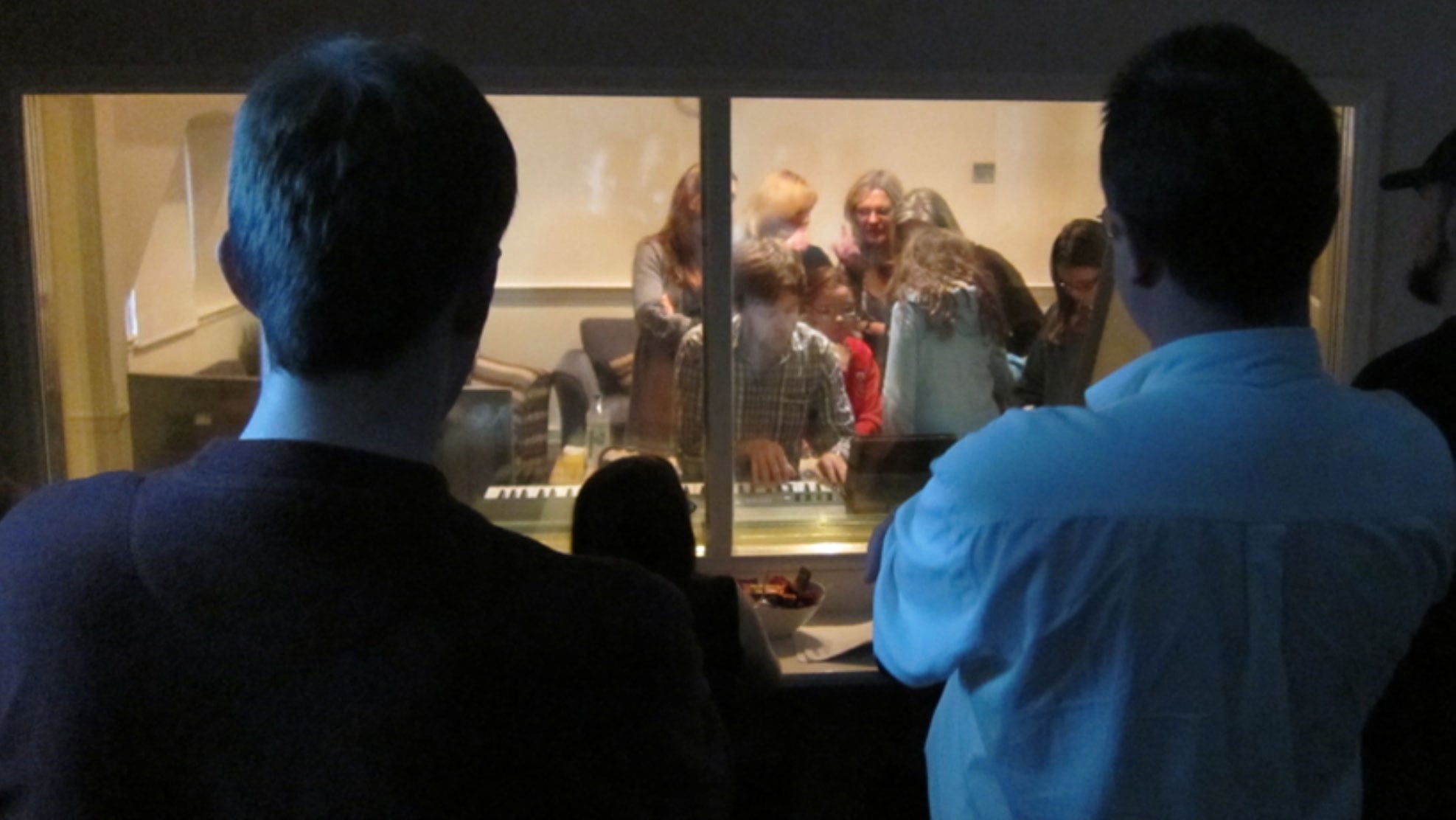
We brought hi-fi prototypes with popular music content to a group of mothers and teenagers aged 11 to 15. Observed behind one-way glass, their reactions — the spontaneous collaboration, the immediate reach for familiar songs — validated the core design hypothesis: motivation follows content and community, not curriculum.

Hi-fi prototype user testing session with teenagers Observers watching user testing through one-way glass

User testing with teens aged 11–15 and their parents — observed through one-way glass. Spontaneous moments of collaborative play and peer motivation confirmed the social design direction.

"Learning together is more fun!" — a recurring insight from the scenario sketching phase, confirmed in every testing session. When a peer played something recognizable, others immediately wanted to join or try it themselves.
Research insight — Yamaha Future Keyboard user testing, London 2011

The refined prototype was then exhibited at Yamaha's Music & Tech showcase in Japan, marking the beginning of a cultural shift toward a modernized piano experience within the company — and directly informing the direction of NoteStar's development.

What the Future
Keyboard Proved

NoteStar Ships

The research vision directly produced NoteStar, Yamaha's iPad sheet music app — a real, shipped product used by piano learners worldwide.

Japan Exhibition

The Future Keyboard prototype was selected for Yamaha's Music & Tech showcase in Japan — the highest internal validation for an R&D concept.

Cultural Shift

The project marked a turning point in Yamaha's internal approach to digital music learning — validating social, popular-music-first design as a viable product direction.

Solo UX in an
Engineering Team

  • Sole UX designer embedded in Yamaha R&D team of engineers
  • Led all user research, scenario definition, and persona development
  • Sketched and storyboarded the full ecosystem vision
  • Designed and ran paper prototyping workshops for rapid iteration
  • Mapped interaction flows for social sharing, score browsing, and performance review
  • Facilitated user testing with teenagers and parents; synthesized insights
  • Developed hi-fi prototypes presented at Yamaha's Japan exhibition

Designing for
Motivation

This project taught me that motivation is a design problem. The piano itself wasn't broken — the experience around it was. Once we put popular music at the center, added a social loop, and let learners control their own journey, everything shifted.

Working as the only designer in an engineering team sharpened my ability to translate UX thinking into terms engineers could build from. Paper prototypes, storyboards, and flow diagrams had to do heavy lifting — they weren't just design artifacts, they were communication tools.

And the most powerful insight of all: people motivate people. No gamification mechanic we designed matched the motivational pull of seeing a friend share a performance of a song you both knew.
← All Projects HP Sprout Walk-UP →